
Spring break gets a bad reputation.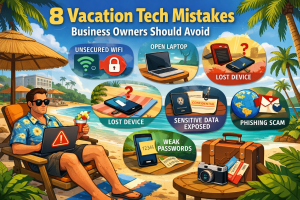
College kids. Questionable decisions. Stories that start with, “We thought it was a good idea at the time.”
Business owners make spring break mistakes too. They are just quieter, and they usually involve technology.
When you are trying to relax with your family work does not completely stop. You check one email. Log into one system. Approve one invoice. That is when vacation cybersecurity risks start to stack up.
These spring break cybersecurity tips help you avoid common travel tech mistakes. They also reduce the risk of returning home to a security incident.
1. Connecting to Unsecured Public Wi-Fi
Hotels, airports, coffee shops, and resorts all advertise free Wi-Fi. It feels harmless to connect for a quick email or file upload.
The problem is that public Wi-Fi security risks are real and common. Cybercriminals frequently create fake networks with names that look legitimate, such as:
- HOTEL_GUEST_FREE
- Airport_WiFi_Secure
- Lobby_Public
When you connect, attackers can intercept login credentials, emails, and even financial information.
To reduce business travel cybersecurity risks:
- Use your phone’s hotspot when accessing work systems
- Confirm the exact network name with hotel or airport staff
- Avoid logging into banking, CRM, or accounting platforms on public Wi-Fi
2. Streaming From Unofficial Websites
You want to watch a game or show that the hotel is not broadcasting. You search for a free stream and click the first link that looks close enough.
Unofficial streaming sites are a major source of malware infections. Many contain:
- Browser hijacking scripts
- Credential harvesting tools
- Fake login pages that mimic legitimate brands
Once malicious software is installed, it can compromise saved passwords, session cookies, and even business email access.
The safest approach is simple. Use official apps and verified platforms only. If the website address looks unusual or overly complicated, close the tab immediately.
3. Letting Kids Use Your Work Phone
Handing over your phone for a few minutes of quiet seems harmless. But children can quickly download apps, approve permissions, or sign up for subscriptions tied to your email and payment methods.
Many free apps request access to:
- Contacts
- Location data
- Microphone and camera
- Stored payment information
From a remote work security perspective, mixing business apps and entertainment apps on the same device increases exposure.
Whenever possible, bring a separate tablet for entertainment that is not connected to business email, banking, or work systems. Enable parental controls and review app permissions regularly.
4. Logging Into Business Systems on Hotel Networks
What starts as one quick login can escalate into accessing your CRM, accounting software, client portals, and internal messaging tools.
Every login on an unsecured network increases the chance of credential theft. Man-in-the-middle attacks and session hijacking are more common on shared networks where traffic is not encrypted end-to-end.
Spring break cybersecurity tips for business owners always include:
- Use a secure hotspot for work access
- Enable multi-factor authentication on all business systems
- Limit access to only what is absolutely necessary during travel
If it can wait 48 hours, it is usually safer to let it wait.
5. Oversharing Travel Plans on Social Media
Posting beach photos in real time with location tags and captions like “Here until the 15th” feels normal. However, it publicly announces that your home may be empty.
Cybersecurity includes operational security. Criminals often monitor social media for signals that properties are unattended.
A safer approach is to:
- Post vacation photos after returning home
- Disable automatic location tagging
- Avoid sharing exact travel dates publicly
You can still share the memories without broadcasting your absence.
6. Using Public USB Charging Stations
When your phone battery is nearly dead, public USB charging stations in airports and hotels seem convenient.
However, juice jacking is a documented threat where compromised charging ports transfer malware or attempt to access device data while charging.
To avoid this risk:
- Carry a portable battery pack
- Use your own wall adapter and cable
- Avoid plugging directly into unknown USB ports
Simple preparation prevents unnecessary exposure.
7. Reusing Simple “Vacation Passwords”
When a resort requires account creation, it is tempting to create a quick password like Beach2026 or SpringBreak!.
By the end of the trip, the same password may be reused across multiple accounts.
Password reuse is one of the most common causes of data breaches. If one service is compromised, attackers test the same credentials elsewhere.
Using a password manager allows you to generate strong, unique passwords for each account without memorizing them. Enabling multi-factor authentication adds another protective layer.
8. Blurring the Line Between Vacation and Remote Work
One overlooked vacation cybersecurity risk is simply trying to multitask. Rushing leads to mistakes: clicking the wrong link, ignoring suspicious prompts, or bypassing security steps for convenience.
Cybercriminals understand that travel periods reduce vigilance. Distraction increases vulnerability.
Establishing clear boundaries helps reduce risk. Either designate specific secure times to handle work through protected connections, or fully disconnect when possible.
Why Spring Break Cybersecurity Matters for Business Owners
Small and mid-sized businesses are frequent targets of cyberattacks because they often lack enterprise-level protections. When owners travel, normal security routines may loosen, and oversight decreases.
A single compromised login can lead to:
- Business email compromise
- Financial fraud
- Ransomware exposure
- Client data leaks
Spring break cybersecurity tips are not about paranoia. They are about reducing preventable risk during high-distraction periods.
Final Thoughts
Most vacation tech mistakes do not happen because someone is reckless. They happen because someone is busy, distracted, or trying to get back to relaxing.
A few simple habits can dramatically lower your exposure:
- Avoid unsecured public Wi-Fi for business tasks
- Use official platforms for streaming and downloads
- Separate work devices from entertainment use
- Strengthen password practices
- Be intentional about what you share online
If you want to ensure your business is protected before your next trip, a brief review of your remote access, password policies, and travel security practices can make a significant difference.
Vacation should feel like a break, not a liability.