
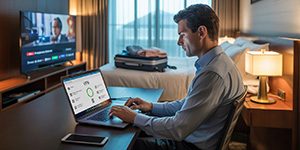
 Holiday travel creates many cybersecurity challenges that do not occur during a normal workweek. You work in new locations, connect to unfamiliar networks, and move between personal activities and work tasks.
These conditions make it easier for unauthorized users to gain access to devices, networks, and sensitive information. They also raise the risk of making mistakes. For example, you might connect to an unsafe WiFi network. You could also let harmful software install by clicking carelessly.
A clear security strategy helps reduce the risk of data exposure, suspicious activity, and system compromise. Travelers can keep their data safe by preparing devices before leaving home. They should use networks wisely and keep work devices separate. This way, they can enjoy their holiday without added stress.
Pre-Travel Cybersecurity Preparation
Holiday cybersecurity begins before the trip starts. Prepare your devices carefully so they can protect your personal information and business data while you travel. The most important step is updating every device. Install the latest operating system updates and security patches. Updated software blocks many common attacks because it removes known vulnerabilities.
Check that your security tools are active. Antivirus software, firewalls, and endpoint protection systems must run correctly to identify malicious software and prevent unauthorized access. Back up important files to a secure cloud service. A backup protects your data if you lose a device or if your device becomes damaged during travel.
Turn on encryption for laptops and mobile devices that store business information, private documents, or client data. Encryption protects sensitive information even if someone steals the device. Use automatic screen locking with a short timeout so no one can access your device when you put it down for even a moment.
Tracking tools, such as “Find My Device,” help you locate devices quickly. These tools also let you lock or wipe a lost device before unauthorized users get inside. Bring your own charging equipment so you do not rely on public USB charging stations. Public ports can host malicious software that transfers to your device as soon as you plug in a cable.
Families should also set clear expectations before leaving home. A professional laptop is not appropriate for children or non-work entertainment. Work devices store client files, business systems, system credentials, and financial information. A safer option is to bring a separate family tablet or laptop that does not connect to work accounts.
Secure Network Practices in Hotels and Public Spaces
Hotel WiFi and other public networks often lack strong network security. Anyone on the same network may see unprotected traffic. Criminals often create networks with names similar to official hotel networks. These fake networks capture usernames, passwords, and other personal information.
Always ask hotel staff for the exact name of the official WiFi network. Confirm spelling and capitalization to avoid connecting to a spoofed network. When you need to access work e-mail, cloud systems, or confidential documents, use a virtual private network. A VPN encrypts your traffic and prevents unauthorized users from reading it.
For highly sensitive tasks, such as financial transactions or internal business operations, use a mobile hotspot or mobile data. These options offer stronger network security than public WiFi. Turn off automatic WiFi connection features so your device does not connect to unknown networks without your control. This simple step reduces the chance of accidental exposure to suspicious activity.
Managing Access to Work Devices During Travel
Sharing devices might feel convenient during holiday travel, but it increases your security risk. Work laptops often contain sensitive information that must remain in the hands of authorized users. Children or family members may accidentally download software, click pop-up advertisements, or change system settings that weaken security.
Keep work devices separate from personal use. If you must let someone use your laptop briefly, supervise their session and prevent any downloads. Clear the browsing history when they finish. The safest choice is complete separation between work devices and entertainment devices. This approach reduces the chance of introducing malicious software or exposing business information.
Streaming Security on Hotel Smart Televisions
Hotel smart televisions often allow guests to log into streaming services. These televisions may store login credentials even after you check out. The next guest can open your account and view your personal information or stored payment methods.
Avoid logging in to hotel televisions whenever possible. Instead, use your phone or tablet and cast content to the screen. If you must log in, set a reminder to log out before leaving. Never use hotel televisions to access anything that contains sensitive information, including work applications, banking services, or e-mail. Strong streaming security prevents unauthorized access long after the trip ends.
Responding to Lost or Stolen Devices
Holiday travel involves busy schedules, crowded spaces, and constant movement. These conditions increase the chance of losing a device. When a device goes missing, act quickly. Open your device-tracking tool right away and see if you can locate it. If you cannot recover it quickly, lock it remotely to block unauthorized access.
Change passwords for important accounts from a trusted device. If the missing device connects to business systems, contact your IT provider or managed service provider. They can revoke access and protect internal networks. If the device contains sensitive business information, use remote wipe tools. A fast response helps prevent unauthorized access to your data.
Protecting Personal Information in Rental Vehicles
Rental cars often store data from connected phones, including contact lists, call logs, and GPS routes. If you leave this information in the car system, the next driver can access it without making any effort.
Before returning a rental vehicle, delete your phone from the car’s Bluetooth menu. Clear the navigation history and recent destinations. Use a wired audio cable instead of Bluetooth whenever possible, because it reduces the amount of personal information shared with the vehicle.
Maintaining Comfortable Work Boundaries During Travel
Many people continue to work during holiday trips, but this split focus increases security risks. Fatigue and multitasking make it easier to click a harmful link or join an unsafe network. Create a simple work routine during your trip. Check work messages only at specific times so you can focus on them without distraction. Use secure networks, such as mobile hotspots, whenever you perform work tasks.
Work in private areas, not public lobbies or crowded cafes. This prevents others from viewing your screen or capturing sensitive information. When you finish working, return to family time without mixing tasks. A clear boundary keeps your alertness high and reduces the chance of errors.
Developing a Holiday Security Mindset
Cybersecurity during holiday travel does not require perfection. It requires awareness, preparation, and deliberate choices. Update your devices, use safe networks, protect work equipment, secure streaming activity, and respond quickly to suspicious activity. These steps help prevent unauthorized access and protect both personal information and business data.
A strong security mindset keeps your holiday enjoyable while reducing risk. With the right habits, you maintain control of your devices and digital information no matter where your travel takes you.
To learn more about how your small business can stay secure this holiday season, book a discovery call with our team here.